Shift At Midnight Co-op Guide — How to Play With Friends
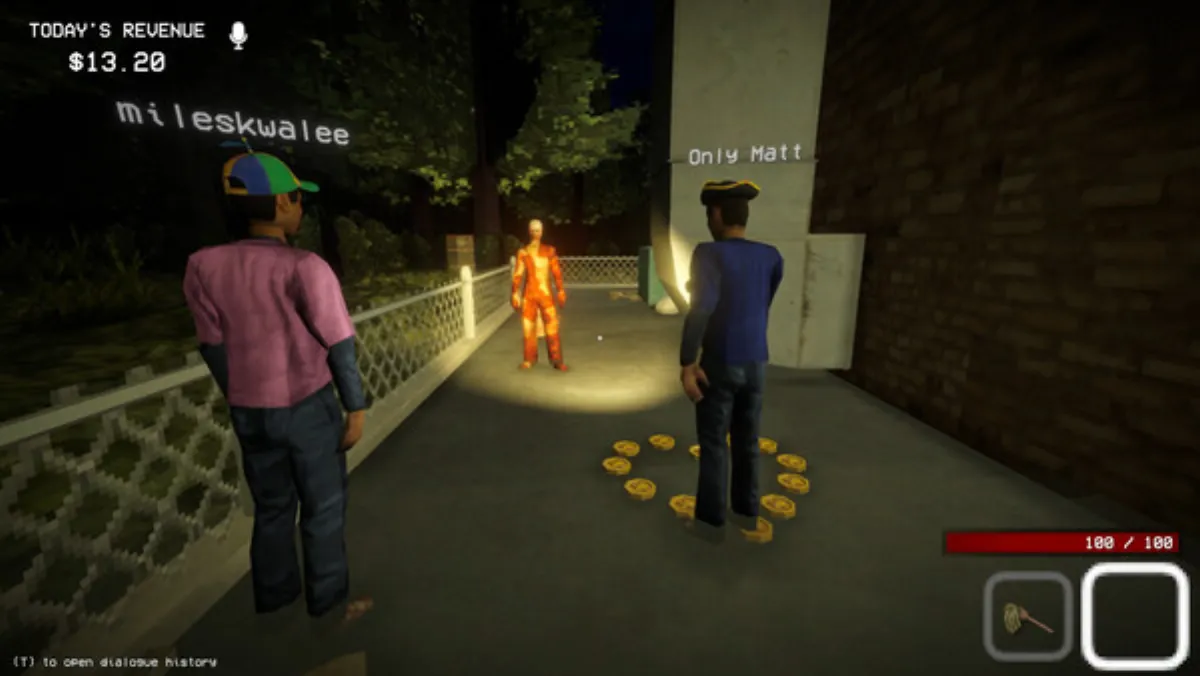
Shift At Midnight is at its best with a crew. This guide covers how to set up co-op, split the work without chaos, and use proximity voice chat — the game's most underrated tool — to survive the night shift together.
Setting Up a Lobby
- Steam: host creates a lobby (max players selectable up to 6 since the July 23 patch), friends join via Steam friends or lobby code. Steam players only match with other Steam players.
- Xbox / PC Game Pass: invite through your Xbox friends list — Xbox console and PC Game Pass play together via Play Anywhere (see Crossplay).
- Everyone must be on the same game version. Mismatched builds are the #1 cause of "can't join" errors — see Multiplayer Not Working if you hit one.
The Role Split (2–3 Players)
The game is designed for 1–3 players, and the classic split is:
| Player | Primary job |
|---|---|
| P1 — Register & Identification | Serves customers, scans items, runs the N.E.T. database, reads the Midnight News board, makes accept/reject calls |
| P2 — Store Ops | Chores for money (stains, trash, rats, toilet), stocking shelves, handling the prize wheel |
| P3 — Security | Watches the store for anomalies, checks suspicious customers with the Anomaly Lens/Camera, guards doors |
With only 2 players, merge Store Ops into the Security role. With 4+ players (chaos-friendly but not intended), split Security into "traps/barricades" and "Hunt fighter."
Communication: Use Proximity Voice Chat
Proximity chat isn't just a feature — it's a game mechanic. Enemies can hear you, and so can teammates, but only within range:
- Say tells out loud. "He said flight attendant but database says plumber" — one player noticing is the whole team's intel.
- Designate one caller. In a Hunt, one voice gives directions ("left door, move, vents!") while everyone else stays quiet — noise attracts the Entity (see the Hunt guide).
- Whisper near enemies. The Entity hunts by sound; if you must talk during a Hunt, use proximity distance deliberately.
Team Tactics That Work
- Pre-load the database. Before the shift officially starts, collect tokens and skim the notice board while P1 confirms which customers are due.
- Tag suspects. If P3 spots a body anomaly, don't call it out vaguely — "ID photo mismatch on the guy at counter 2" is actionable; "that guy's weird" isn't.
- Money discipline. Chores are the co-op money engine — two players cleaning while one serves is the fastest route to the $250 True Ending fund (Money guide).
- Barricade together. The moment a Doppelganger gets through, all hands on the three exterior entrances — front, bathroom, back. One player barricading while others hold the Hunt is the difference between a fight and a slaughter.
- Share the Lens. The Anomaly Lens/Camera reveals Doppelgangers the database misses — rotate it between P3 and P1 so it's always in use, never sitting on a shelf.
Solo vs Co-op
Everything — endings, achievements, Endless — is solo-able. Co-op is easier not because of more players, but because roles split the cognitive load: one player's register duties don't compete with another's barricade duties. If you're struggling solo, co-op is the fix.
FAQ
Can two people control the same register? No — identification is single-interaction. That's why the role split matters: the register player stays put while everyone else moves.
Does co-op change the endings? No. Endings depend on the Night 12 phone choice and $250, not party size (All Endings).
Is there friendly fire? There's no friendly fire from bullets, but the sledgehammer one-shots humans — don't swing it near teammates or a customer you've flagged as human.
What's the best party size for a first run? 3. It's the intended design: register, store ops, and security each get one player.
Co-op mechanics compiled from community testing and the official Steam announcements as of August 2026.
More Guides
![Shift At Midnight Price — How Much Does It Cost? [2026]](/img/sam/capsule.webp)
![Shift At Midnight: All 10 Achievements & How to Unlock Them [2026]](/img/sam/id-database.webp)
![Shift At Midnight: All 3 Endings & How to Get the True Ending [2026]](/img/sam/customer-verify.webp)
![Shift At Midnight Endless Mode — How to Unlock & Survive [2026]](/img/sam/store-interior.webp)
![Shift At Midnight Pets Guide — All 4 Pets, Medicine & Perks [2026]](/img/sam/pet-adopt.webp)
![Shift At Midnight: All Monsters & Entities Explained [2026]](/img/sam/hunt-combat.webp)